01
Individual team accounts
Keep each person's account separate within the organization.
- Review user profiles and account status
- Manage team access as responsibilities change
Team and administration
Give each person an account and assign access for their work. Organize departments, positions and locations, and maintain company details and workspace settings.
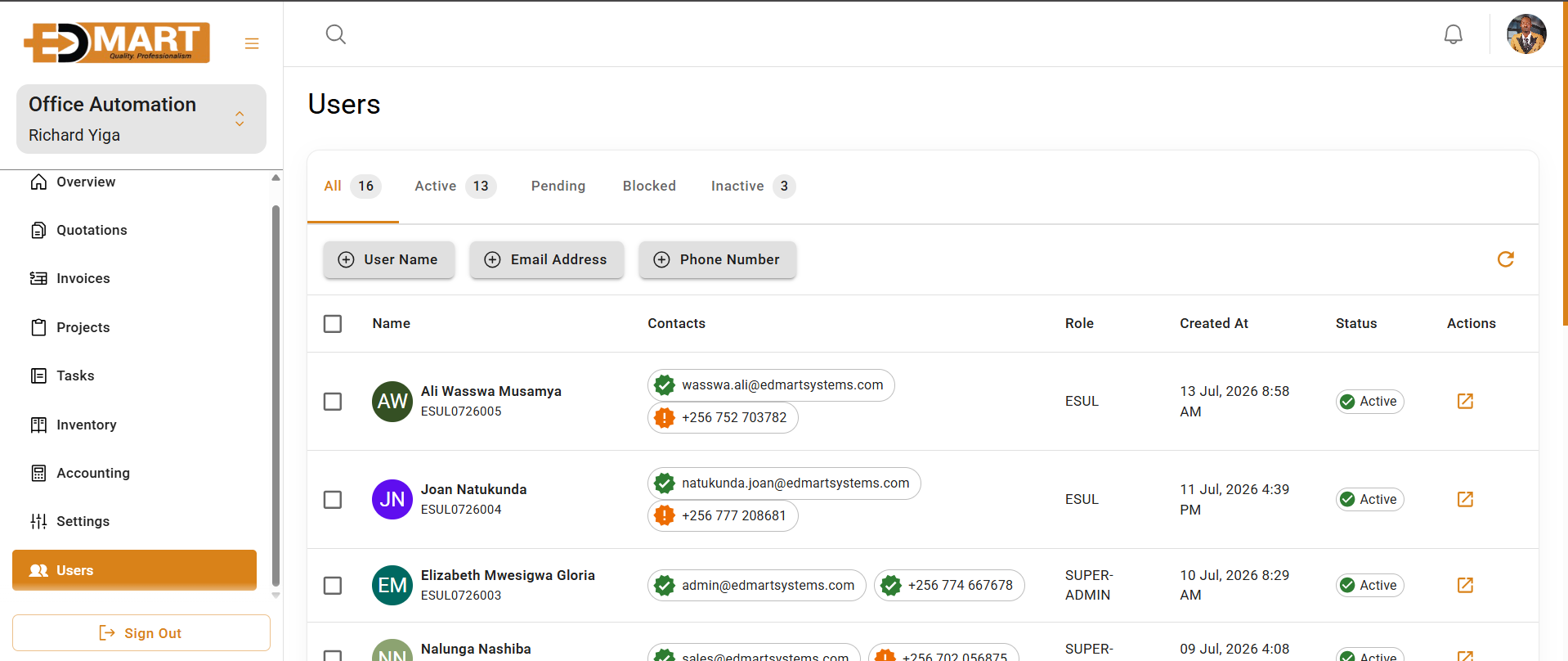
What you can do
Keep account status, role assignments and organization settings available to authorized administrators as people and responsibilities change.
Keep each person's account separate within the organization.
Organize access around the parts of the workspace people use.
Maintain the organization records used to describe where people work and the positions they hold.
Keep the company profile and working locations available to authorized administrators.
Prepare the shared settings needed by your organization and enabled workflows.
How it works
Set up individual accounts through the supported user workflow.
Choose the access appropriate to each person's work.
Revisit roles, permissions and account status as the team changes.
Illustrative workflow · Available steps depend on enabled modules and workspace setup.
Why it helps
Give each team member a distinct account for their work.
Use roles and permissions to organize who can perform an action.
Keep account status and role assignments available to authorized users.
Part of the bigger picture
Explore the stock, accounting and project workflows that your team will use when deciding which roles and module access they need.
Bring sales, purchasing, stock movements and inventory reviews together.
7 capabilities
Review accounts, banking records, currencies, tax records and financial reports.
8 capabilities
Give tasks an owner and follow project costs, stock, documents and certificates.
6 capabilities
Your next chapter
Bring your team structure and walk through accounts, role assignments, working locations and workspace settings.